Pinwheel Compose & Pinwheel Thread

Two standalone Unity packages (with Pinwheel Motion included in Compose) for building, animating, and wiring menus in Unity 6.0 LTS and 6.3+.

Coming Soon on Unity Asset Store Unity 6.0 LTS & 6.3+ Built-in / URP / HDRP Legacy UI + TextMeshPro New & Legacy Input Standalone .asmdef Packages Unscaled Pause Safe
Click image to inspect full screen
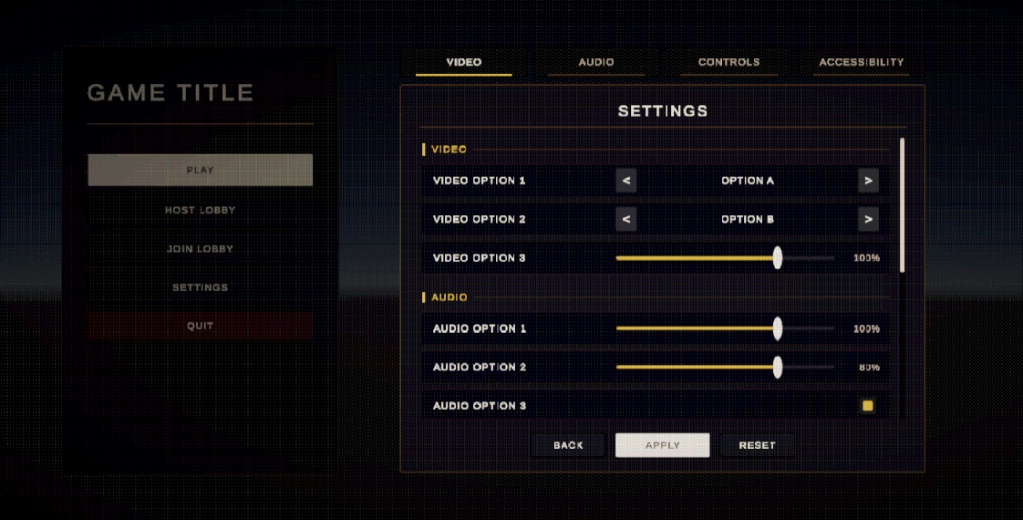
Pinwheel Compose generated Main Menu and Settings UI in Unity Click to zoom
Main Menu and 4-tab Settings screen generated in one click with the Dark Fantasy theme preset. Unity 6.3+
Pinwheel Thread — Interactive Flow Preview ✓ Ready · 0 Issues
Selected Node


Package 1

Pinwheel Compose

Tools → Pinwheel Studios → Pinwheel Compose

Generates Main Menu, 4-tab Settings, Language Icon Submenu, Create Lobby, and Lobby Room screens with live Solo Preview, saved themes, and prefab slots.

  • 4 theme presets: Dark Fantasy, Blood & Iron, Modern Slate, Horror Minimal
  • Live Ctrl+Z editing for sliders, steppers, toggles, keybinds, fonts, and 9-slice art
  • Export and import editable menus as 5–15 KB .pwui files across Unity projects
  • Register existing hand-built UI panels with Lock Theme Sync protection

Included in Compose

Pinwheel Motion

Add Component → Pinwheel Motion

Procedural C# animations for button hover/click feedback (Button Feel) and OnEnable panel reveals (Panel Intro), running on Time.unscaledDeltaTime without Animator controllers.

Button Feel Preset Preview 6 presets
Hover or click a preset above to preview it.
  • 8 Panel Intro presets including Cinematic Tracking and 1-click Auto-Stagger Children
  • Caches rest transforms in Awake() and resets on OnDisable() to prevent drift
Package 2

Pinwheel Thread

Tools → Pinwheel Studios → Pinwheel Thread

A visual Left-to-Right node editor for wiring Buttons, Escape keys, Auto-History navigation, Start Disabled rules, and Refresh Panel resets into a single generated C# router script.

  • Tracks objects via GlobalObjectId and Hierarchy Path so renaming or moving objects will not break wires
  • Pre-compile Health Badge, Prefab Mode guard, and additive multi-scene support
  • Multi-Input action nodes let buttons and keyboard shortcuts share one action
  • Custom Hook C# events for PurrNet and gameplay scripts without editing generated code
v1.1 Documentation is live. Review the Beginner's Tutorial and 5-Stage UI Production Workflow ahead of the Unity Asset Store release.
Unity Asset Store — Coming Soon Read Full Docs (v1.1)

Our Titles

Multiplayer PC games developed in Unity by Pinwheel Studios.

The Reflection — Cooperative Psychological Horror on Steam
Published on Steam Co-op Psychological Horror

The Reflection

A cooperative psychological horror game for PC built around randomized rituals, tense exploration, and survival alongside your team while confronting The Skin-Taker.

PlatformPC (Steam)
ModeOnline Co-op
EngineUnity
StatusLive on Steam
Thou Shalt Not Pass — Chaotic Medieval Multiplayer Game of Knights and Thieves
In Development · Store Review Asymmetrical Multiplayer

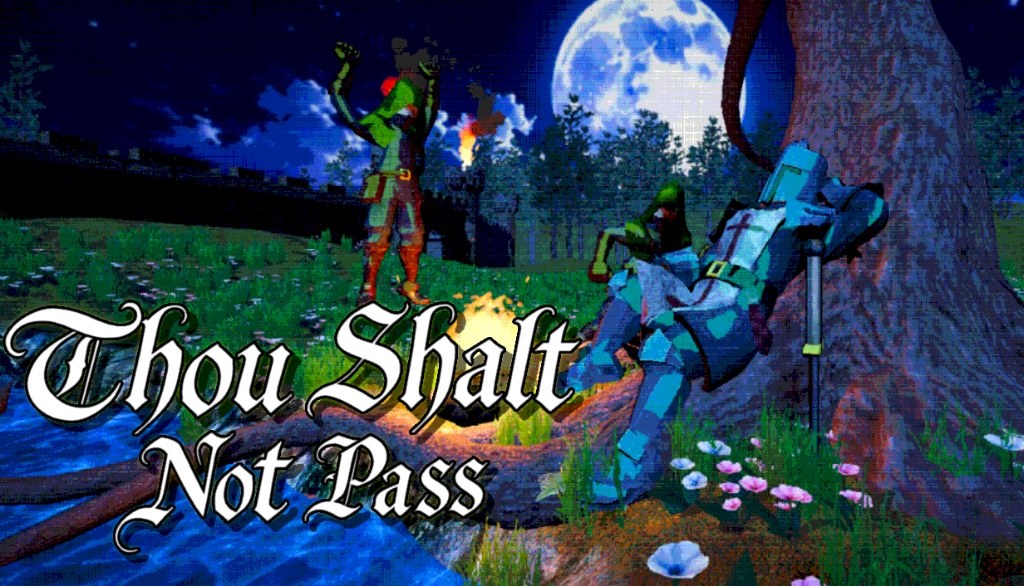
Thou Shalt Not Pass

A chaotic medieval multiplayer game of Knights and Thieves. Work together to loot the kingdom and escape, or hunt down every last criminal. Choose your side, master your abilities, and survive the chase!

Read full game overview

Deep within a medieval kingdom, a group of thieves has decided to make off with its riches. Unfortunately for them, the Queen has other plans. Her Knights have been ordered to hunt them down. No prisoners. No mercy.

THOU SHALT NOT PASS is a fast-paced, asymmetrical multiplayer game where one side hunts and the other desperately tries to escape. Because there's a ship waiting, and the Knights aren't particularly fond of letting criminals leave.

The Thieves Work together to gather treasure, prepare the ancient Watchtowers, and signal your escape ship before the Knights catch you. The more treasure you carry, the bigger a target you become.
The Knights The Queen has given you a simple order: kill every last Thief. Track down the criminals, interrupt their plans, and stop them from escaping with the kingdom's riches.

Different Classes. Different Ways to Play.

Both sides feature multiple playable classes with distinct abilities and playstyles across woodland paths, medieval settlements, and ancient structures. Explore multiple maps, discover shortcuts, and turn an ordinary chase into complete chaos.

PlatformPC (Steam)
ModeAsymmetrical PvP
EngineUnity
StatusComing Soon
Steam Page — Coming Soon Follow on Discord ↗

Free Unity Tools on GitHub

Public Unity shaders and Editor extensions released by Pinwheel Studios. Click any preview to inspect full screen.

Pinwheel DreamSky procedural night sky in Unity URP Click to zoom
Unity 6.3+ · URP 17 MIT License 3 Variants

Pinwheel DreamSky

A lightweight procedural night-sky shader and workflow suite for Unity URP. Built for stylized dark-fantasy and realistic night scenes with a toggleable PS1/PS2 Retro mode, Editor Texture Baker, and 1-draw-call Void Mist / Fake Water Plane.

  • Procedural Night Sky: Zero-loop spherical starfield, domain-warped RGBA nebula, backlit clouds, moon phases, ringed planet, and _Time.y shooting stars.
  • PS1/PS2 Retro Mode: World-locked spherical pixelation, 4×4 ordered Bayer dithering, and colour quantization.
  • World-Edge Blending: 1-click URP Horizon Fog sync plus an optional Void Mist or synced Night Water plane for hiding cliff bases.
  • Built-In Baker & Controller: 1-click RGBA noise & moon crater baker, 4 presets, and optional zero-GC PWSky_Controller.
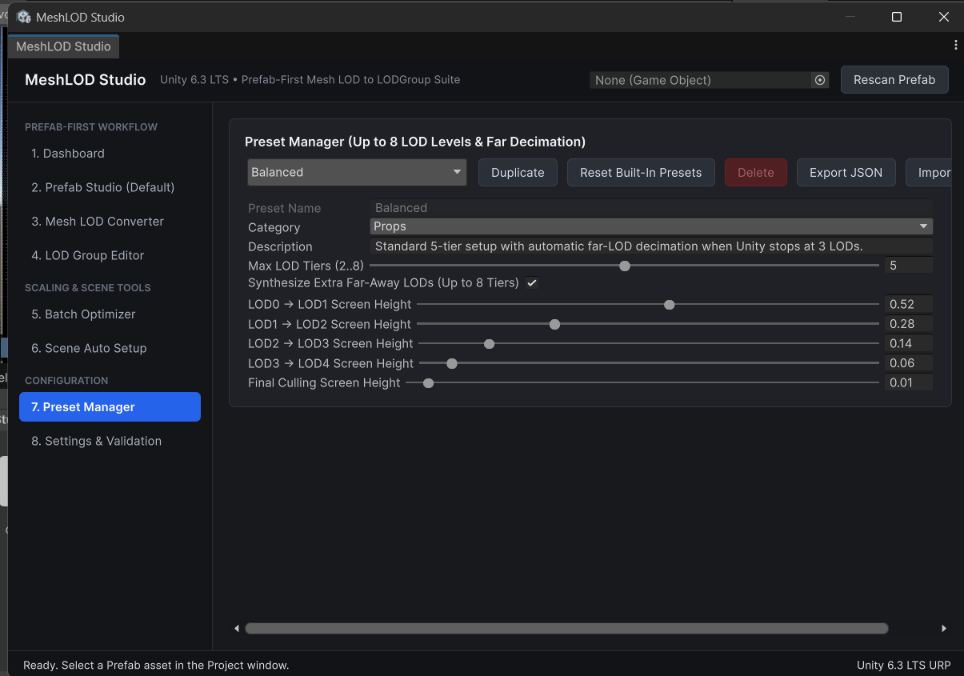
Unity MeshLOD Studio Preset Manager window in Unity 6.3 Click to zoom
Unity 6.3+ MIT License Prefab-First

Unity MeshLOD Studio

A Prefab-first LOD management and conversion tool for Unity 6.3+. Losslessly extracts generated Mesh LOD index buffers into compact standalone meshes and builds configurable LODGroup setups directly on your source .prefab assets.

  • Lossless Extraction: Uses Mesh.AcquireReadOnlyMeshData to vertex-compact LOD levels without modifying original FBX models.
  • Zero-Conflict LODGroups: Preserves your original MeshFilter/MeshRenderer on LOD0 to maintain FileIDs, scripts, and scene overrides.
  • Batch & Scene Auto Setup: Batch-process hundreds of prefabs or scan a scene to update unique source prefabs automatically.
  • JSON Preset Manager: Save, reuse, import, and export screen-relative height or distance profiles.
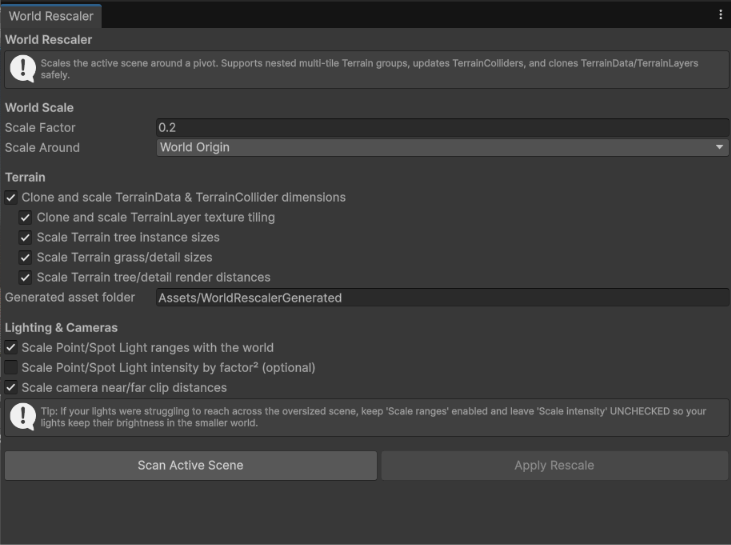
Unity URP World Rescaler Editor Window Click to zoom
Unity Editor URP Single Script

Unity URP World Rescaler

A Unity Editor extension to rescale entire scenes, nested Terrains, and URP lights in one click without breaking terrain physics, painted splatmaps, or texture tiling.

  • Safe Hierarchy Scaling: Repositions root objects without skewing nested multi-tile terrain scale constraints.
  • Terrain Cloning: Duplicates TerrainData and TerrainLayers before scaling to preserve painted splatmaps.
  • Physics Sync: Automatically updates TerrainCollider dimensions to match the rescaled visual mesh.
  • URP Lighting & Camera Sync: Scales Point/Spot light ranges, camera clip planes, and optional light intensity.

Publisher Support & Links

Technical support for our Unity Asset Store packages, open-source tools, and games.

Email Support

For Asset Store support, bug reports, licensing questions, or business inquiries, contact us directly by email or through our Discord server.

  • • Include your Unity version (e.g., Unity 6.0 LTS or 6.3+) and render pipeline.
  • • State the asset name (Pinwheel Compose, Pinwheel Thread, DreamSky, MeshLOD Studio, or URP World Rescaler).
  • • Attach Console error logs or steps to reproduce if reporting a bug.